

Yearly tax summary
See monthly income, VAT and withholding tax for the year, and export it as CSV.
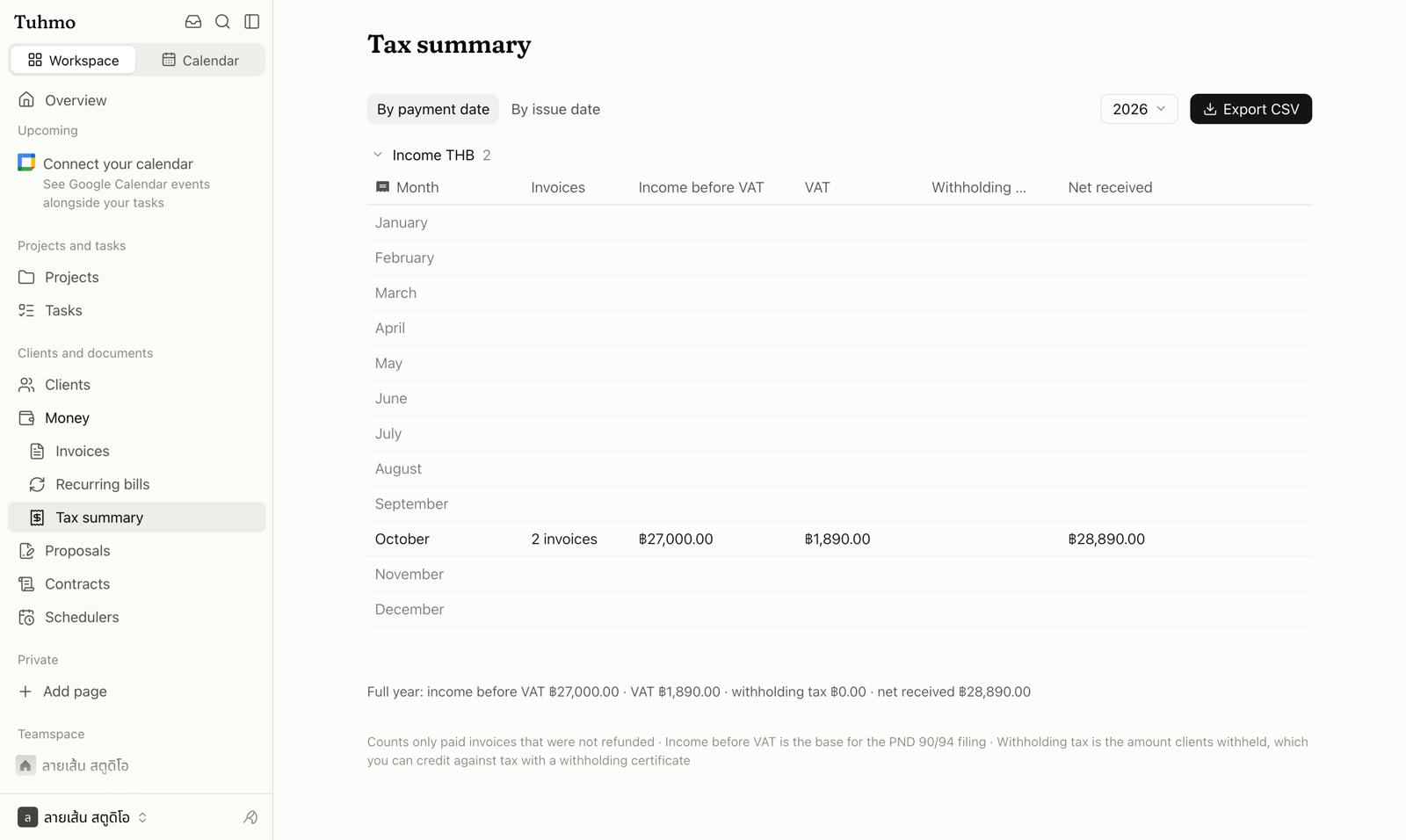
Open the tax summary
- 1
Go to Money › Tax summary.
- 2
Select the year.
- 3
Choose a Date basis: By payment date or By issue date.
Table columns
- Month and number of invoices
- Income before VAT
- VAT
- Withholding tax
- Net received
The bottom row shows the Full year total. If you bill in more than one currency, choose which currency to view.
What is counted
Only paid invoices that were not refunded are counted. Income before VAT is the base for the PND 90/94 filing. Withholding tax is the amount clients withheld, which you can credit against your tax with a withholding certificate.
Click Export CSV to hand the numbers to your accountant or use them in another app.
Was this article helpful?
Next
Tasks and task lists
Every task lives in a task list. Split work your way and switch between views.
Keep reading
Still have questions?
On this page