

Find your way around the sidebar
The sidebar on the left takes you to every part of Tuhmo, from your Overview to clients, projects and money documents.
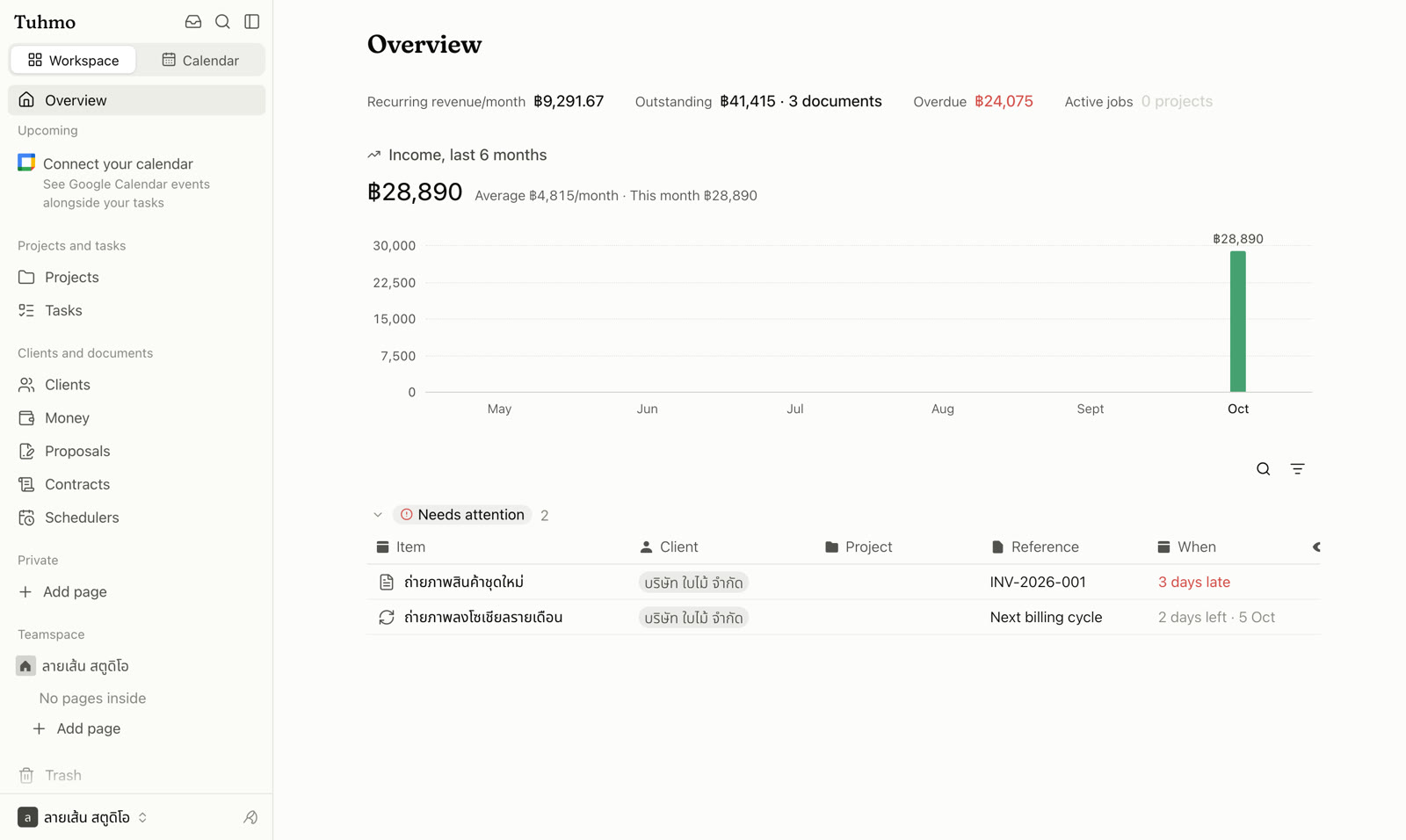
Top of the sidebar
- Workspace name: switch workspaces, "Create workspace", open "Members and invites", "Settings", "Get help" or "Log out".
- Inbox: notifications and things sent to you. The number on the button is your unread count.
- Search: also opens with ⌘K (or Ctrl+K).
- Overview: your home page, summarising what needs attention.
Two main menu groups
- Projects and tasks: Projects and Tasks.
- Clients and documents: Clients, Money, Proposals, Contracts and Schedulers.
Click a group heading to collapse or expand it. Below them is the Notes section with Favorites, teamspaces and private pages. Trash sits at the bottom of the sidebar.
Collapse or open the sidebar with ⌘\ (or Ctrl+\), and drag its right edge to change its width.
On your phone
Tap the menu button or swipe right from the left edge to open the sidebar. The top row has Overview, Calendar, Inbox and Search.
Some menu items may be hidden if your role in the workspace doesn't have access to that area.
Was this article helpful?
Next
Search your workspace
Find tasks, notes, projects and clients, or jump to any page, from one box with ⌘K.
Keep reading